Choice is where shoppers stall
A store with a few similar products often loses shoppers who cannot tell them apart. They open two tabs, compare descriptions, and then leave to think about it. A store assistant in a shop would simply say: this one is warmer, that one packs smaller, here is the price of each. Catchly does the same in the chat.
How Catchly helps
- Side by side comparisons. When a shopper asks to compare two or three products, Catchly shows a table built from your product data: price, material, fit, sizes and colours in stock, and stock status. The table is built from your catalog, not written by the AI, and a missing detail shows as not listed.
- Help me choose. A shopper can ask for help choosing. Catchly asks at most two short questions, such as what it is for, which size, or a budget, using your own product types, sizes and price ranges, then suggests products that match.
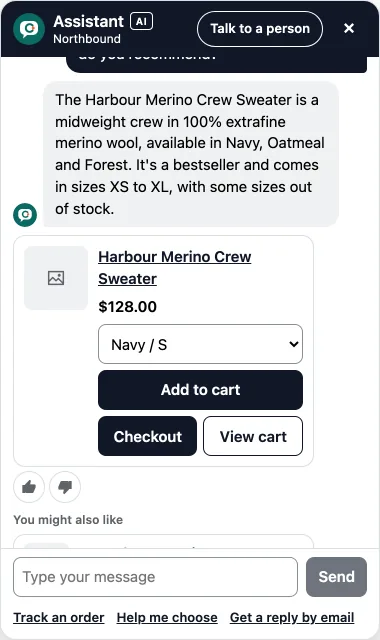
- Recommendations with cards. Suggested products come with a card showing the photo, the price for the shopper's country and an Add to cart button.
- Often bought together. After an item goes into the cart, the chat can suggest a product that pairs with it.
Better product data, better comparisons
A comparison can only show what your product pages say. Two small habits make a big difference:
- Add a line starting with "Material:" and one starting with "Fit:" to each product description. Catchly copies those into the comparison as written.
- Use the same option names across products, such as Size and Colour, so sizes in stock line up.
The AI visibility check in Catchly scores your products on the details shoppers ask about, such as materials, sizing and care, and lists what is missing in plain words.
Set it up
- In Catchly, open the Skills tab and check that Product comparison and Help me choose are on.
- Ask a test chat: "What is the difference between these two jackets?" and "Help me choose a gift under $50."
- Fill any gaps the comparison shows by adding the missing detail to the product in Shopify. It syncs on its own.
Try it: ask our demo store to compare the rain shell and the down vest.